The waiting-room clipboard, replaced.
Hand patients a tablet instead of a pen. They fill in your HIPAA-ready forms at the front desk, and their answers are in your inbox, encrypted, before they sit down. Nothing is stored on the device.
Start free trial 14-day free trial. No card needed. BAA included.
The hipaaform Kiosk app is on its way to the App Store and Google Play. Start now and your forms will be ready for it.
- Paired in a minute with a QR code
- The same forms as your website
- A lost tablet holds no patient data
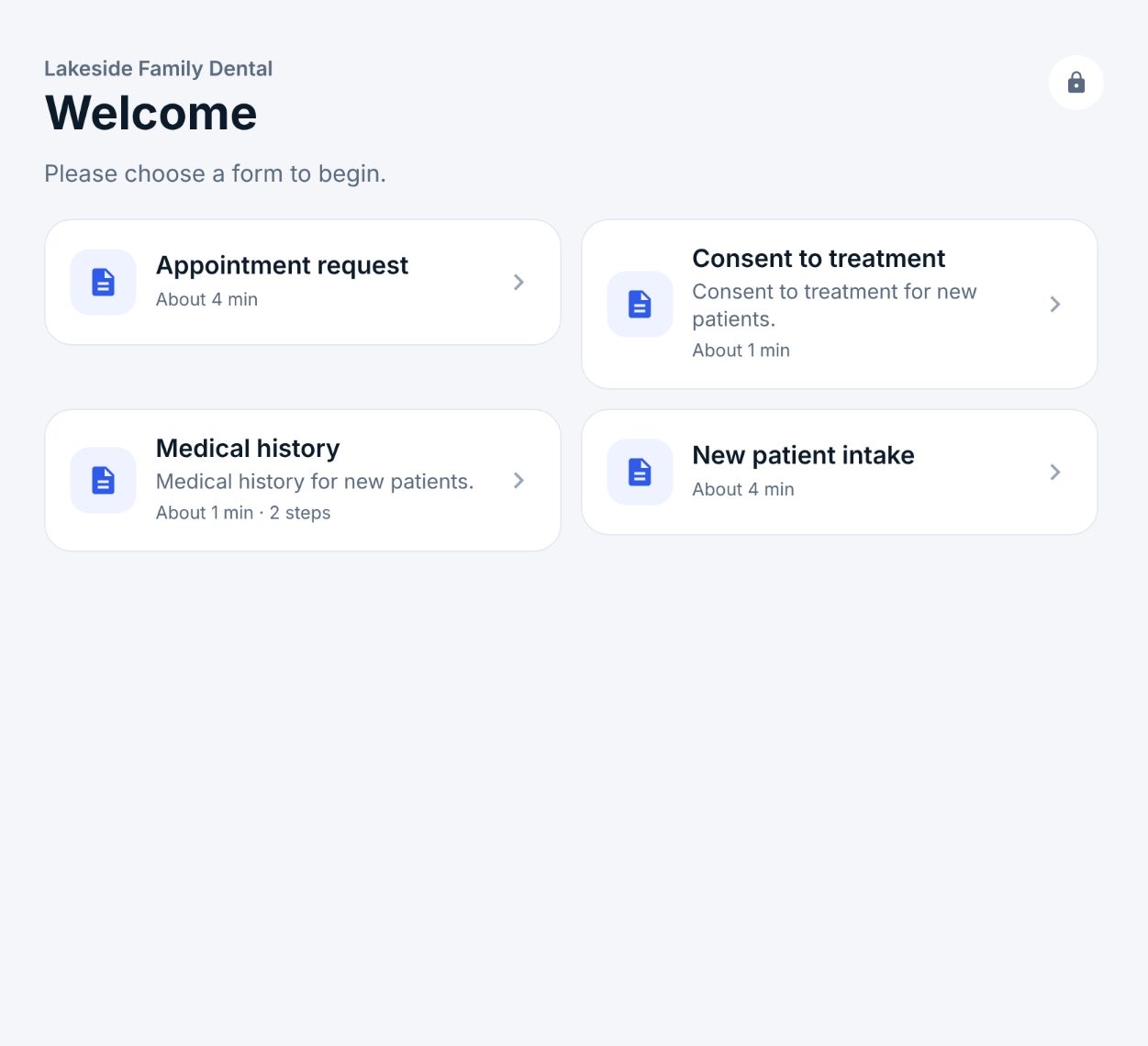
From the box to the front desk in a minute
No IT project and no new forms to build. If a form is published in your account, it can be on the tablet.
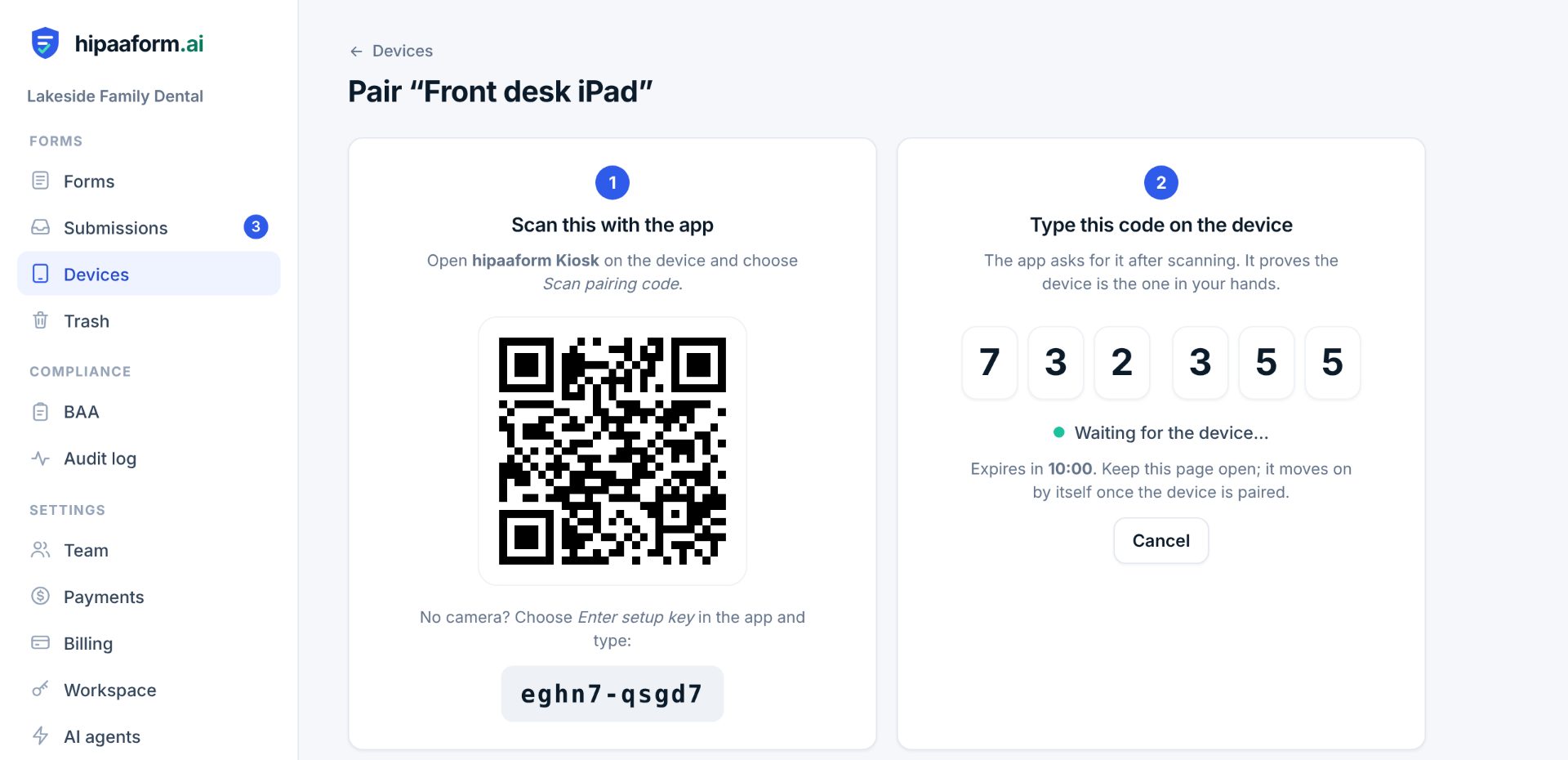
Pair the tablet
Open Devices in your account and scan the QR code with the app, then type the six-digit code. It takes about a minute, and you choose which forms the tablet may show.
Hand it to the patient
They tap a form, fill it in and send it. A thank-you screen follows and the tablet returns to the menu, cleared for the next person.
Read it at your desk
The submission is already in your inbox, encrypted, labelled “In practice” with the tablet’s name. Alerts and integrations run as usual.
Safe to hand to a stranger
A tablet in a waiting room is passed from person to person all day. The app is designed around that.
The forms you already built
The tablet shows the same forms as your website: same questions, logic, signatures and branding. Build once, use in both places.
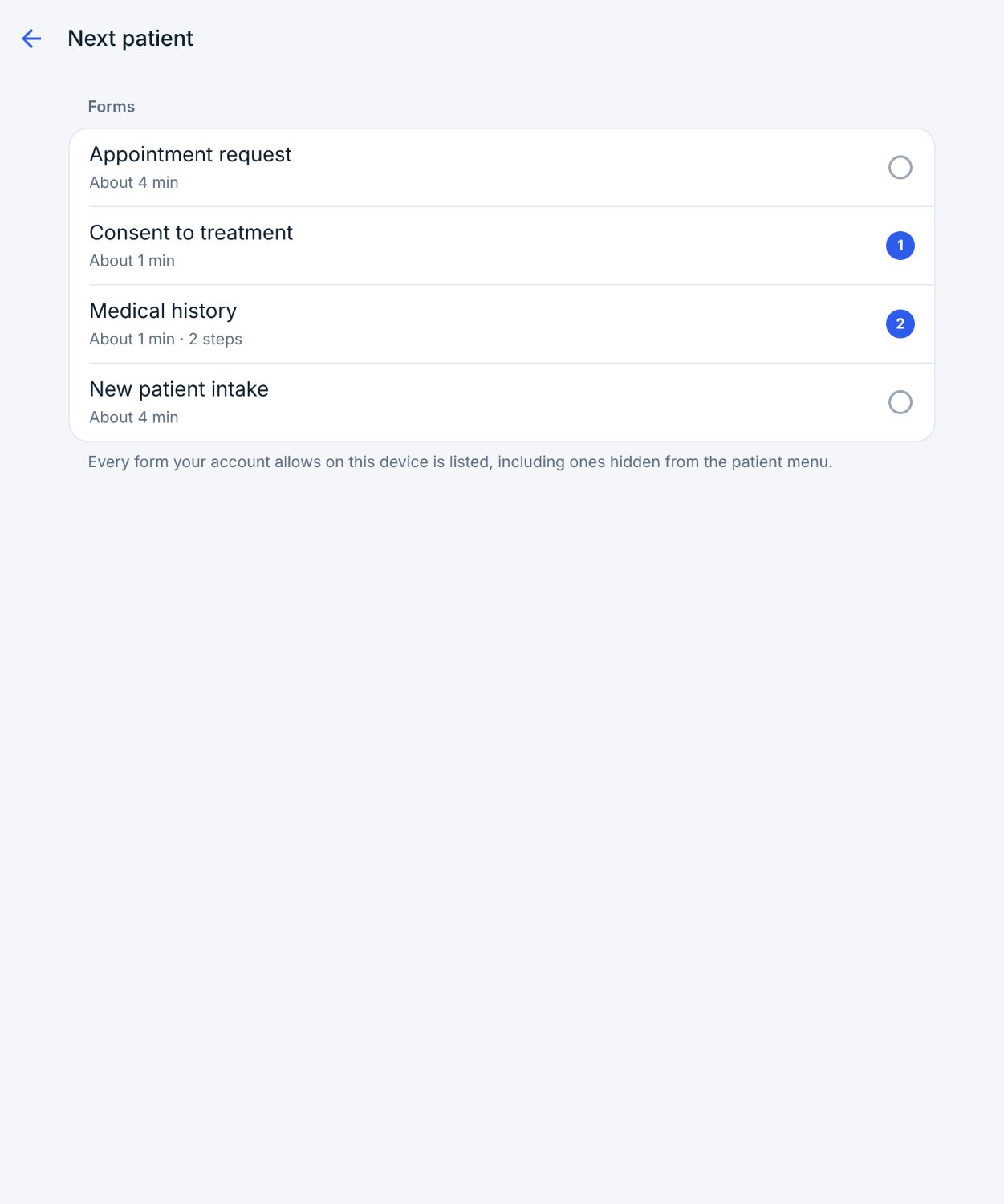
Forms for the next patient
A nurse or receptionist picks exactly the forms one patient needs, in order, and hands over the tablet. The patient sees only those.
Nothing stays on the device
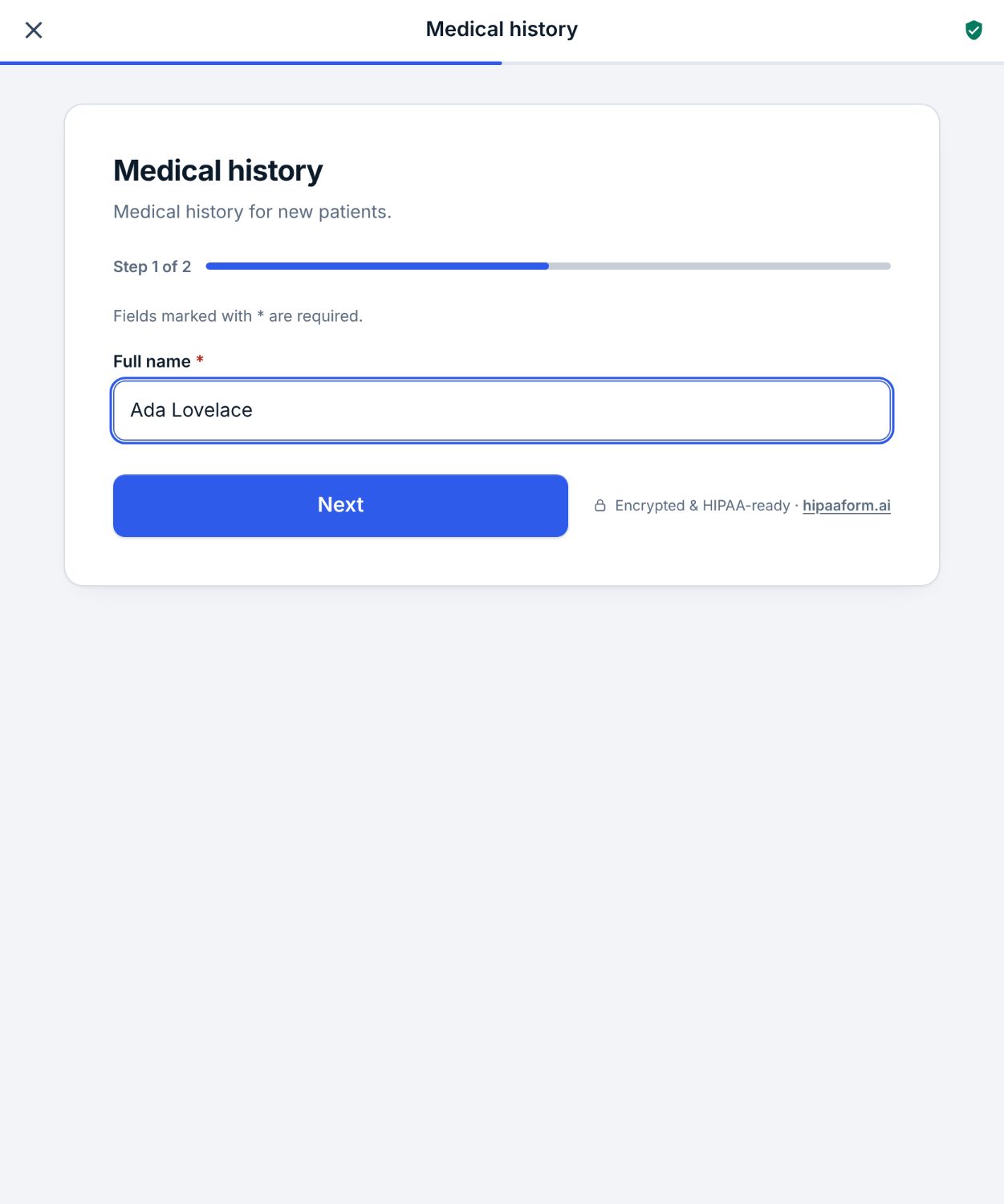
Each form opens in a private window that is discarded after every patient. The tablet keeps no answers, so a lost device holds no patient data.
Clears itself when left alone
If a form sits untouched, the app asks “Are you still there?” and then wipes it, so the next person never sees someone else’s answers.
It can send, never read
A paired tablet can show published forms and send submissions. It cannot open a submission, and it has no access to your account.
Staff PIN and remote unpair
Settings sit behind a four-digit staff PIN. If a tablet goes missing, unpair it from your account and it stops working at once.
One inbox for everything
Front-desk and website submissions land together, each labelled with where it came from. Email alerts, webhooks and connectors run the same way.
In the audit log
Pairing, changes and unpairing are recorded with who did them and when, alongside every view of a submission.
iPad, iPhone and Android
One app for Apple and Android tablets and phones, in light and dark. Use Guided Access or app pinning to keep patients inside it.
What changes when the clipboard goes
Start free trial 14-day free trial. No card needed. BAA included.
Questions, answered plainly
What do I need?
An iPad or iPhone, or an Android tablet or phone, connected to Wi-Fi; the hipaaform Kiosk app; and at least one published form in your hipaaform.ai account. An owner, or an editor with access to all forms, pairs the device.
Does it work without the internet?
No. Forms need a connection to open and to send, because nothing is stored on the device. If the Wi-Fi drops, the app says so and no answers are kept on the tablet.
Is patient information stored on the tablet?
No. Each form opens in a private window that is discarded after every patient, and an untouched form clears itself. The device keeps only its pairing token and the staff PIN, in the device’s secure storage.
What if the tablet is lost or stolen?
Open Devices in your account and unpair it. It stops working immediately and returns to its pairing screen. Submissions it already sent stay in your inbox, and there were never any answers on the device.
Can patients leave the app or reach the settings?
The settings are behind a staff PIN. To stop patients leaving the app altogether, use the device’s own lock: Guided Access on iPad and iPhone, or app pinning on Android. The help page shows how.
Do I have to rebuild my forms for the tablet?
No. The tablet shows the forms you already published, with the same fields, logic, signatures and design. You choose which ones each device may show.
How many tablets can I pair?
As many as you need. Each gets its own name, such as “Front desk iPad”, which appears next to every submission it sends.
Is it included in my plan?
The Devices page in your account shows whether in-practice devices are part of your plan. It is included in the free trial.
Step-by-step set-up guide Turn your paper form into an online form Security and HIPAA
Put the clipboard away
Create your workspace, publish a form and pair your first tablet today.
Start free trial 14-day free trial. No card needed. BAA included.